
















































Logo
100% Job Interview Guarantee

India's No.1 Gen AI
UI UX Design Course

Join India’s #1 Job-Oriented UI UX Design Course with an AI-Integrated Curriculum and design tools. Learn user research, wireframing, prototyping, usability testing, and product design to prepare for UI UX roles.

Our Programs are Backed by

NSDCMinistry of Skill Development and EntrepreneurshipSkill India
Student 1Student 2Student 3Student 4

4.9/5 by 2,000+ Students

Claim Your Free Roadmap

Talk to our career experts and get a personalized learning path to your dream job.

+91

Your privacy is our priority. No spam ever.

Become A Certified

UI/UX Designer

Become an Industry-Expert UI/UX Designer with The NexaLearn UI UX Design Course in just 6 months with our AI-infused Curriculum.

12.6 LPA
HIGHEST SALARY
500 +
PARTNER COMPANIES
100%
JOB ASSISTANCE
6.5PA
AVERAGE SALARY
The NexaLearn
Standard Courses
Industry Readiness

Practical UI UX Curriculum

Basic Theory Learning

Placement Support

100% Job Support with 200+ hiring partners

Limited Placement Support for 1 year

Classroom Learning

Live mentor-led classes with projects

Self-paced lessons with basic projects

Tools

Figma & 20+ Design and AI Tools & Marketing

Basic Design Tools

LMS Access

LMS Access + Recorded Classes

Limited Access

Ready to redefine your future?

Ready to become a Certified UI/UX Designer? Get a call with our expert counselor to get personalized guidance for your next career path.

Job Guarantee UI UX Design Course Curriculum

The NexaLearn UI UX Design Course Curriculum is filled with Industry Backed modules which will help you to upskill in just 6-months:

Module 01

Human-Computer Interaction & User Psychology

People use digital products based on habits, expectations, and the amount of information they can process at once. This module helps learners understand mental models, cognitive load, and user behaviour so they can create interfaces that feel clear and natural from the first interaction.

Key Topics

Understand the fundamentals of Human-Computer Interaction
Study how users think while using digital products
Understand mental models and user expectations
Reduce unnecessary effort within an interface
Understand attention, memory, and decision-making
Identify areas where an interface can confuse users
Structure information according to user expectations
Review existing digital experiences from a user perspective
Apply user psychology to interface decisions
Review products for usability problems
Tools Covered

Figma, FigJam, Miro, User Research Tools, Cognitive Load Analysis Tools

Skills You Gain

Human-Computer Interaction, Mental Model Analysis, Cognitive Load Optimisation, User Psychology, Interaction Planning, Usability Analysis

Practical Capstone Project

Airbnb Booking Experience Review

Review Airbnb's journey from property search to booking confirmation. Identify areas where a first-time user could hesitate, overlook important information, or leave the process. Prepare a clear problem statement and recommend five interface improvements with a reason behind each decision.

Module 01

Human-Computer Interaction & User Psychology

People use digital products based on habits, expectations, and the amount of information they can process at once. This module helps learners understand mental models, cognitive load, and user behaviour so they can create interfaces that feel clear and natural from the first interaction.

Key Topics

Understand the fundamentals of Human-Computer Interaction

Study how users think while using digital products

Understand mental models and user expectations

Reduce unnecessary effort within an interface

Understand attention, memory, and decision-making

Identify areas where an interface can confuse users

Structure information according to user expectations

Review existing digital experiences from a user perspective

Apply user psychology to interface decisions

Review products for usability problems

Tools Covered

Figma, FigJam, Miro, User Research Tools, Cognitive Load Analysis Tools

Skills You Gain

Human-Computer Interaction, Mental Model Analysis, Cognitive Load Optimisation, User Psychology, Interaction Planning, Usability Analysis

Practical Capstone Project

Airbnb Booking Experience Review

Review Airbnb's journey from property search to booking confirmation. Identify areas where a first-time user could hesitate, overlook important information, or leave the process. Prepare a clear problem statement and recommend five interface improvements with a reason behind each decision.

Module 02

Behavioural Design & UX Laws

Every button, menu, and choice can influence what a user does next. This module introduces behavioural design principles and key UX laws that help learners simplify decisions, position actions more effectively, and reduce friction throughout a digital experience.

Key Topics

Understand behavioural psychology in UX

Apply Fitts's Law to interactive elements

Use Hick's Law to simplify choices

Understand Jakob's Law and familiar interface patterns

Apply Gestalt principles to interface layouts

Understand proximity, similarity, and visual grouping

Find friction within user journeys

Frame usability problems clearly

Simplify complex actions

Plan interactions around common user behaviour

Support interface decisions with UX principles

Test behavioural assumptions through prototypes

Tools Covered

Figma, FigJam, Claude, Maze, Miro

Skills You Gain

UX Laws, Behavioural Design, Problem Framing, Interaction Design, Decision Simplification, Design Reasoning

Practical Capstone Project

Blinkit Repeat-Order Flow Redesign

Review Blinkit's repeat-purchase journey for users who frequently order the same groceries. Identify unnecessary choices or steps, then redesign the route from previous orders to checkout using Hick's Law, Fitts's Law, and other behavioural principles.

Module 03

UX Writing & Content Strategy

Good interface copy helps users understand what happened, what they need to do, and what comes next. This UI UX Course module covers buttons, forms, onboarding, errors, confirmations, and product messaging.

Key Topics

Understand the role of content in user experience

Write clear buttons, labels, and navigation text

Create useful onboarding copy

Write form labels and field instructions

Prepare error and validation messages

Write empty, loading, and success states

Create confirmation and cancellation messages

Define product voice and tone

Adjust tone for different user situations

Reduce confusion through clear microcopy

Write accessible interface content

Use AI tools to support UX writing

Create UX content guidelines

Tools Covered

ChatGPT, Claude, Figma, FigJam, Notion, Google Docs

Skills You Gain

UX Writing, Microcopy, Content Strategy, Voice & Tone, Error Recovery, Accessible Writing, Content Hierarchy

Practical Capstone Project

Zomato Order Support Content Redesign

Rewrite Zomato's interface content for delayed orders, missing items, cancellations, refunds, and failed payments. Create clear status messages, support instructions, button labels, and confirmation screens so users always understand the issue and their next available action.

Module 04

Visual Design & Scalable UI Systems

This UI UX Design course module teaches learners to build consistent systems for typography, spacing, colour, grids, and accessibility so interfaces stay clear as products grow.

Key Topics

Build clear visual hierarchy

Create practical typography scales

Understand typography ratios and visual balance

Build consistent spacing systems

Use grids to organise screen layouts

Create semantic colour systems

Use colour for status and feedback

Understand contrast and readability

Apply accessibility principles

Create light and dark interface themes

Maintain consistency between screens

Build responsive layouts

Document visual design rules

Tools Covered

Figma, Tokens Studio, Adobe Color, Stark, Coolors

Skills You Gain

Typography Systems, Spacing Systems, Semantic Colour, Visual Hierarchy, Responsive UI, Accessibility, Scalable UI Design

Practical Capstone Project

Myntra Fashion Interface System

Create a visual system for a Myntra seasonal fashion collection. Define typography, spacing, colour, product-card layouts, filters, and responsive rules for mobile and desktop while making sure sizes, prices, discounts, and delivery details remain easy to read.

Module 05

Components, Atomic Design & Design Systems

Digital products reuse the same buttons, cards, fields, navigation elements, and states throughout hundreds of screens. This module teaches learners how to organise these elements into reusable components and build a design system that stays consistent as the product expands.

Key Topics

Understand Atomic Design fundamentals

Break interfaces into reusable elements

Create atoms, molecules, and larger UI patterns

Build reusable Figma components

Create component variants and properties

Work with Auto Layout

Use variables and design tokens

Create reusable colour and typography styles

Build shared component libraries

Maintain consistency as a product grows

Update components efficiently

Tools Covered

Figma, Figma Variables, Figma Libraries, Tokens Studio, Adobe Color

Skills You Gain

Atomic Design, Component Design, Auto Layout, Variables, Design Tokens, Component Libraries, Design System Management

Practical Capstone Project

Swiggy Food Ordering Design System

Build a reusable design system for Swiggy covering navigation, restaurant cards, food items, buttons, form fields, alerts, and checkout components.

Module 06

Design Ops, Developer Handoff & Design QA

A final interface still needs clear documentation before developers can build it accurately. This UI UX online course module teaches learners how to prepare design files, explain states and responsive behaviour, manage handoff, and review the implemented product for design issues.

Key Topics

Organise files before developer handoff

Work with Figma Dev Mode

Document spacing, typography, and colour

Prepare components and variables for handoff

Explain responsive behaviour

Document interaction and state logic

Prepare assets for development

Record empty, loading, success, and error states

Communicate design decisions to developers

Compare builds with approved designs

Identify visual and interaction mismatches

Report UI bugs with evidence

Manage revisions and version history

Tools Covered

Figma, Figma Dev Mode, Zeplin, Jira, Linear, Loom

Skills You Gain

Developer Handoff, Design Specifications, Design QA, Regression Testing, Bug Reporting, Design Documentation, Product Collaboration

Practical Capstone Project

Razorpay Merchant Dashboard Handoff

Prepare a developer-ready handoff for a Razorpay merchant dashboard covering transactions, filters, settlements, failed payments, empty records, and responsive behaviour. Document important states and component rules, then prepare a design QA report based on a simulated developed version.

Module 07

Portfolio Building & Design Presentation

A strong portfolio needs to explain how a designer reached the final solution, not simply display polished screens. Our UI UX Course module helps learners turn their work into structured case studies and present design decisions clearly.

Key Topics

Select strong projects for a UI UX portfolio

Structure projects as case studies

Present user and business problems

Explain research and design decisions

Show wireframes, iterations, and final interfaces

Present usability findings

Create clear project narratives

Build a portfolio website

Present designs to recruiters

Explain decisions to non-designers

Prepare project presentations

Improve professional positioning

Tools Covered

Framer, Webflow, Figma, Behance, Notion, Loom

Skills You Gain

Portfolio Development, Case Study Writing, Design Storytelling, Presentation Skills, Personal Branding, Stakeholder Communication

Practical Capstone Project

SNITCH Ecommerce Redesign Case Study

Create a complete portfolio case study around the SNITCH shopping experience. Review the current product-discovery journey, map the user flow, redesign important screens, build a prototype, and present the reasoning and iterations behind the final ecommerce experience.

Module 08

Vibe Coding & AI Product Prototyping

AI tools can now turn written ideas into early interfaces and working product drafts within a short time. This module teaches learners to write clear product prompts, build AI-assisted prototypes, review generated output, and refine the experience before treating it as a usable product.

Key Topics

Turn product ideas into structured prompts

Translate requirements into AI instructions

Create early layouts through prompts

Generate UI components with AI

Build initial product structures

Create responsive interfaces through AI tools

Use AI for rapid design iterations

Connect screens into functional prototypes

Review AI-generated interfaces

Identify inconsistent or incorrect outputs

Refine designs in Figma

Understand product scaffolding

Build a functional MVP

Tools Covered

v0, Lovable, ChatGPT, Claude, Figma

Skills You Gain

Prompt Engineering for Design, Vibe Coding, AI Prototyping, Product Scaffolding, Rapid Iteration, UI Generation, MVP Development

Practical Capstone Project

Urban Company Service Booking MVP

Create a functional MVP for an Urban Company service-booking journey. Define the requirements, use AI tools to generate the initial product structure, refine the interface in Figma, and build a working route from service selection and scheduling to address confirmation and booking.

Module 09

Spatial UX for AR, VR & MR

Spatial products add depth, movement, physical surroundings, and new forms of interaction to the design process. This module introduces learners to AR, VR, and mixed-reality experiences and teaches them how to plan clear interactions within three-dimensional environments.

Key Topics

Understand AR, VR, MR, and spatial computing

Learn spatial UX fundamentals

Design using depth and Z-axis placement

Understand scale and spatial positioning

Create gaze-based interactions

Plan gesture and controller interactions

Design onboarding for immersive products

Create transitions in 3D spaces

Work with basic 3D assets

Plan object placement and surface interaction

Create visual and motion feedback

Consider user comfort

Prototype immersive experiences

Tools Covered

Spline, Bezi, Unity Basics, Figma, Blender Basics

Skills You Gain

Spatial UX, 3D Interaction Design, Gaze-Based UX, Depth & Z-Axis Design, Immersive Prototyping, 3D Motion Design

Practical Capstone Project

Lenskart AR Eyewear Try-On Experience

Design an AR experience for Lenskart that lets users preview eyewear through their phone camera. Plan face positioning, frame selection, comparison, image capture, and purchase actions while also creating responses for poor lighting, camera permission denial, and unsuccessful face detection.

Module 10

AI-Native Development & Front-End Collaboration

Product designers increasingly work with AI-generated code, front-end systems, and development teams. This module gives learners enough technical understanding to read common interface structures, use AI to fix UI issues, refine prototype code, and take a design closer to deployment.

Key Topics

Understand basic front-end structure

Read simple HTML, CSS, React, and Tailwind patterns

Understand how components translate into code

Review AI-generated front-end code

Use AI to identify interface errors

Debug basic UI problems

Refine generated layouts and components

Understand responsive behaviour in code

Refactor prototype code

Work with version-controlled projects

Understand basic GitHub workflows

Prepare applications for deployment

Deploy functional prototypes

Tools Covered

Cursor, GitHub, Vercel, React Basics, Tailwind CSS Basics, AI Coding Tools

Skills You Gain

Front-End Code Reading, AI-Assisted Debugging, Refactoring, Design-to-Code Understanding, Version Control, Prototype Deployment

Practical Capstone Project

CRED Personal Finance Dashboard Build

Create and deploy a functional CRED-style finance dashboard from a supplied UI concept. Use AI-assisted coding to build bill cards, payment history, rewards, and due-date components, then review the generated code, correct UI issues, and improve responsiveness before deployment.

Module 11

Freelancing & UI UX Design Business

Freelance designers need to manage pricing, scope, proposals, revisions, communication, and client acquisition along with their design work. This module teaches learners how to package their services professionally and build a practical system for finding and managing independent projects.

Key Topics

Position UI UX services for a target market

Identify suitable freelance clients

Price projects by scope, time, and value

Prepare project proposals

Define deliverables and timelines

Set revision limits

Understand basic design contracts

Structure ongoing retainers

Communicate with clients during projects

Build a professional LinkedIn presence

Create cold outreach messages

Develop inbound lead systems

Manage client feedback and scope changes

Build long-term client relationships

Tools Covered

LinkedIn, Notion, Loom, Google Docs, Proposal Tools, Cold Outreach Tools

Skills You Gain

Freelance Positioning, Pricing, Client Acquisition, Proposal Writing, Client Communication, Cold Outreach, Retainer Management, Inbound Lead Generation

Practical Capstone Project

Nykaa Freelance UX Proposal & Client System

Prepare a simulated freelance UX proposal for improving a selected Nykaa shopping journey. Define the project scope, deliverables, timeline, pricing structure, revision terms, and expected design process, then create an outreach message and client onboarding workflow around the project.

Module 12

Product Leadership, Agile Delivery & GTM

Designers often work with developers, product managers, marketers, and business teams from early planning through launch. This module explains how UI UX work fits into agile sprints, product backlogs, stakeholder communication, go-to-market planning, and continuous product improvement.

Key Topics

Understand cross-functional product teams

Learn agile product development basics

Plan design work within sprints

Create and manage design backlogs

Prioritise product tasks

Work with product tickets and requirements

Present asynchronous design updates

Conduct design walkthroughs and audits

Communicate decisions to stakeholders

Organise stakeholder feedback

Understand product launch fundamentals

Connect design work with GTM requirements

Review product performance after launch

Use feedback and data for further iterations

Tools Covered

Linear, Jira, Loom, Notion, Product Analytics Tools

Skills You Gain

Agile Sprint Planning, Backlog Management, Product Collaboration, Stakeholder Presentation, Product Launch Planning, GTM Strategy, Design Iteration

Practical Capstone Project

Flipkart AI Feature Launch Sprint

Plan a one-week product sprint for a simulated AI-powered feature on Flipkart. Create the backlog, prioritise design and development tasks, prepare the key user flow, present the feature through an asynchronous stakeholder walkthrough, and build a post-launch plan based on user feedback and product data.

Technical Stack

20+ AI-Infused UI UX Tools

Learn and apply 20+ UI UX and AI tools through product-based tasks for research, wireframing, prototyping & usability testing.

Figma
Figma
Framer
Framer
Adobe Color
Adobe Color
Notion
Notion
Claude
Claude
Miro
Miro
Cursor
Cursor
Figjam
Figjam
Lovable
Lovable
Linear
Linear
Spline
Spline
GitHub
GitHub
V0.dev
V0.dev
Photopea
Photopea
Vercel
Vercel

Get the Complete Tools List

Download all the tool lists that you will master throughout our NEXGEN UI UX Design Training

Why Choose The NexaLearn for a UI UX Course?

If you’ve made up your mind to enroll UI UX Design Course, then here are the reasons why The NexaLearn is the right choice:

Learn

Learn Modern Design & AI Tools

During the course, you will learn Figma, FigJam, Maze, Framer, Webflow, Lovable, Claude, and other tools used for research, interface design, prototypes, and product tests. You will use each tool for a specific task rather than learn its features without context.

4.7/5

Average Rating

Get Mentored

Get Mentored by UI UX Experts

Our Expert UI UX Mentors will check your research, user flow, content, layout and interaction states. They will also help you explain why you removed a step, changed a label, or selected a particular design.

4.9/5

Average Rating

Build

Build a Solid Portfolio

Build your solid portfolio by adding your research notes, user flows, wireframes, and final prototypes as portfolio material. You will turn selected projects into case studies that show the original problem, your design process and the final result.

20+

Design & AI Tools

Figma

Figma

Live in Project

Framer

Framer

Adobe Color

Adobe Color

Notion

Notion

Placement

Placement & Profile Support

Our UI UX Design Course with a placement team will help with your CV, LinkedIn profile, and portfolio. You will also receive mock interview practice, job alerts and guidance for job applications.

100%

Interview Support

Get Hired

Qualify & Get Hired

Learners qualify for interview opportunities after they complete the course and meet the required milestones. These requirements include project submission, portfolio preparation and mock interview practice.

200+

Hiring Partners

GoogleAmazonMicrosoftMetaNetflixAdobeUberAirbnbSpotifySamsungOracleIBMGoogleAmazonMicrosoftMetaNetflixAdobeUberAirbnbSpotifySamsungOracleIBM
IBMOracleSamsungSpotifyAirbnbUberAdobeNetflixMetaMicrosoftAmazonGoogleIBMOracleSamsungSpotifyAirbnbUberAdobeNetflixMetaMicrosoftAmazonGoogle
GoogleAmazonMicrosoftMetaNetflixAdobeUberAirbnbSpotifySamsungOracleIBMGoogleAmazonMicrosoftMetaNetflixAdobeUberAirbnbSpotifySamsungOracleIBM
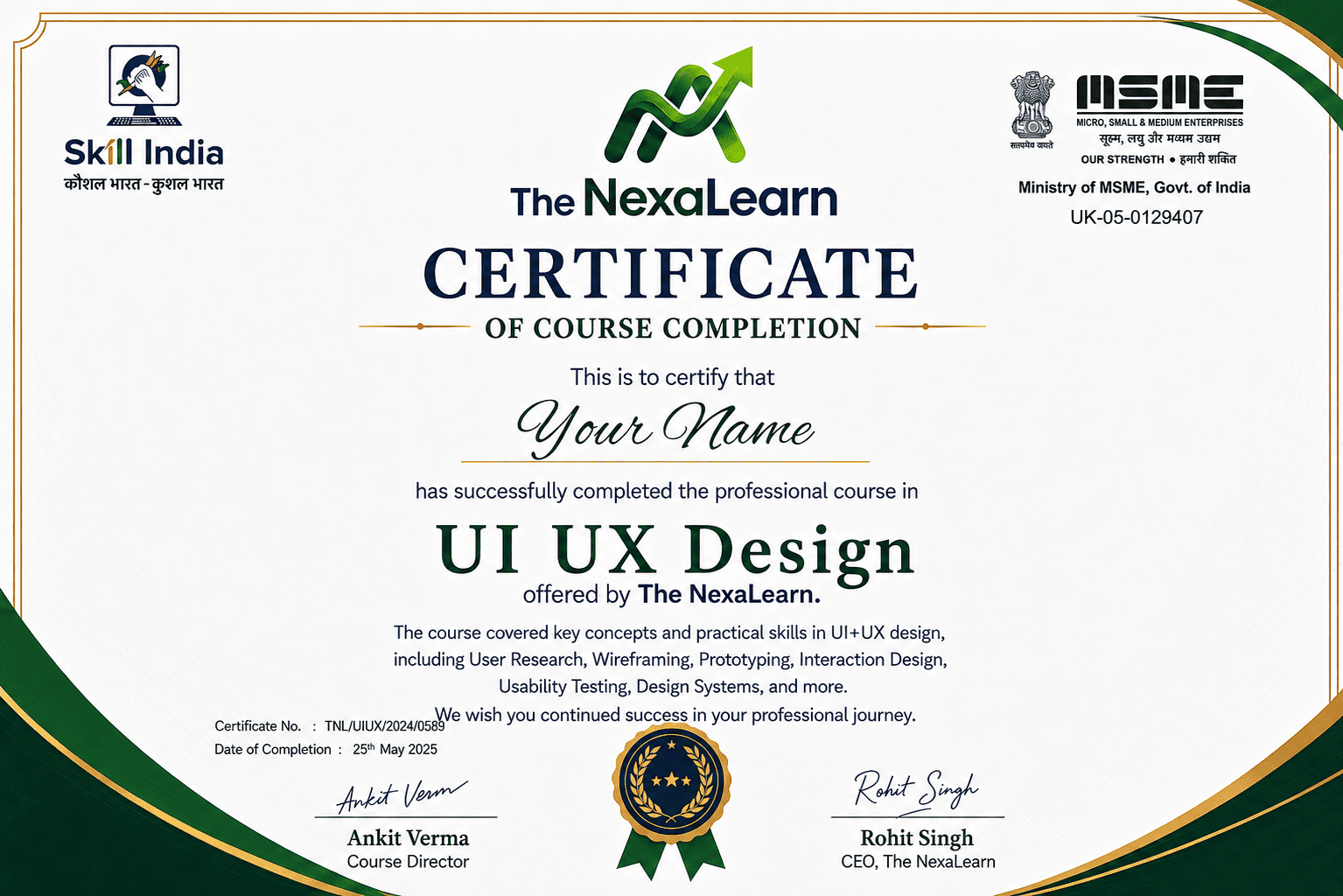
UI UX Design Certification

Globally Accepted
UI UX Design Certification

Receive an industry-backed UI UX Design Certificate after completing The NexaLearn UI UX Course:

Course Completion

Course Completion

Comprehensive mastery of UI UX Design and AI tools.

Google Certification

Google Certification

Google UX Design Professional Certificate.

Internship Completion

Internship Completion

Successful completion of the UI UX Design Internship.

Instant Verification

Every certificate is cryptographically signed and shareable to portfolios with a single click.

Course Completion
Upcoming Cohorts

Flexible Batches

The NexaLearn UI UX Design Course offers flexible weekday and weekend batches, along with class recordings and LMS access.

Scholarships Available

Classroom Program - UI UX Design Course

Comprehensive training on 20+ AI Tools, AR, VR, MR, Vibe Coding, Design Ops, and more with our UI UX Design Course.

Weekday

8th Sep '26'

Mon - Fri (7 PM - 9 PM)

Filling Fast
Weekend

5th Sep '26'

Sat - Sun (10 AM - 2 PM)

Open

Batch Strength

Limited to 25 Students / Batch

Free Career Guidance

Confused about the
right batch?

Talk to our academic counselors for a free 1-on-1 counseling session to evaluate your career goals.

Counselor
Counselor
Counselor

Counselors Online

Available to assist

Admissions Open

How to Join The NexaLearn
UI UX Design Course?

The admission process has three steps. You can apply without previous design experience or knowledge of Figma.

Application
Counseling
Confirm Enrollment
01

Complete the Online Application

Enter your contact details, education, work experience, and reason for choosing UI UX.

15 Mins
1-on-1 Session
02

Career Counselling Session

A counsellor will speak with you about your background and career plans. You can discuss the course syllabus, project requirements, batch options, and roles available after the course.

03

Secure Your Seat

Choose an available batch, submit the required documents and complete the payment. Read the fee, EMI, placement and refund terms carefully before you confirm admission.

Fast-Track Entry

Next cohort starts in 12 days

Start Your Application

+91

By clicking proceed, you agree to our terms and conditions regarding the admission policy.

Investment Roadmap

The NexaLearn UI UX Course Fees

Our UI UX Course Fees fully prepare learners to become expert UI UX Designer or Product Designers in just 6 months.

Flagship Program

UI UX Design
Programme

Advanced Industry Readiness

₹39,900 + GST/one-time

EMI options available • No hidden charges

  • Live UI UX classes
  • Design and AI tool lessons
  • Module-based assignments
  • Product design projects
  • Mentor feedback
  • Portfolio reviews
  • Mock interviews
  • Career support
  • The NexaLearn certification
  • LMS access
Secure Payments via
Razorpay
Mastercard
UPI
Visa

Invest in Skills, Not Financial Stress

Worried that the UI UX design course fee may delay your plans? Our flexible payment options can help.

Monthly Installment

₹3,565/mo
0% Interest Plan
₹15,000
Min: ₹5,000Max: ₹24,000
9 Months

The NexaLearn UI UX Design Course with 100% Job Interview Guarantee

100% Interview Guarantee

The 100% Job Interview Guarantee gives eligible learners access to interview opportunities after they complete the required course milestones. It does not mean that every learner will receive a job without a company test or interview.

Complete course requirements to unlock 100% job placement & interview support.

01

You must complete the course

Regular class participation helps you follow the lessons and complete each assignment. Learners must finish the required modules before they qualify for interview opportunities.

02

You must submit the required projects

Your projects show how you use research, user flows, wireframes, prototypes, and product tests. The portfolio team will check this work before it becomes part of your final case studies.

03

You must prepare your portfolio

A recruiter needs to see more than final screens. Your portfolio should explain the problem, research, design process, product tests, and final result for each selected project.

04

You will receive CV and LinkedIn support

The placement team will help you present your design skills, tools, and projects clearly. Your profile will also include links to your portfolio and relevant case studies.

05

You will attend mock interviews

Mock interviews cover portfolio questions, design decisions, user research, and product feedback. Mentors will point out unclear answers and help you describe your work with confidence.

06

You will receive job alerts and application support

The career team shares suitable design openings and helps learners prepare their applications. The NexaLearn UI UX Design Course also states that its learners can access more than 200 hiring partners and over 500 active openings.

Course Overview

Everything you need to know about the NexaLearn UI UX Design Program

About the Program

The NexaLearn Gen AI UI UX design course teaches regular UI UX skills alongside modern AI tools. You learn how to use AI for support while keeping research, design judgement, and product decisions under your control. The NexaLearn UI UX design course with placement brings classes, projects, mentor reviews, portfolio support, and interview preparation into one programme. By the end of the course, you will have work that you can present and explain during job interviews.

6Months

Program Duration

10+

Capstone Projects

500+

Hiring Partners

2K+

Students Placed

85%

Avg. Salary Hike

Experienced by our graduates within 3 months of placement.

4.9

/5

By 2,000+ Students

Ready to Start Your Journey?

Next batch starts Sep 5th. Limited seats available.

Frequently Asked Questions

Let's answer some questions

A UI UX design course teaches you how to research users, plan product journeys, create interfaces, build prototypes, test usability, and prepare digital products for development.

The NexaLearn course combines core UI UX skills with Figma, product projects, Gen AI tools, vibe coding, AR, VR, XR, developer handoff, and portfolio preparation.

The NexaLearn offers a job-oriented UI UX programme with live mentor support, product projects, 20+ design and AI tools, portfolio preparation, mock interviews, and career assistance.

Start with user behaviour, design fundamentals, wireframes, and Figma, then move towards research, prototypes, usability tests, design systems, and complete product projects.

The course covers Figma, FigJam, Maze, Framer, Webflow, Lovable, Relume, ProtoPie, Zeplin, Jira, Hotjar, Mixpanel, Spline, Unity, ChatGPT, Claude, Gemini, and several other design and AI tools.

Figma is widely used for wireframes, interface design, components, responsive layouts, prototypes, and developer handoff, which makes it one of the core tools you will use throughout UI UX work.

Yes. The curriculum includes vibe coding, no-code products, AR, VR, MR, and XR, along with spatial interfaces, immersive product design, gesture controls, and 3D experience basics.

Still have questions? We are here to help you guide your path.

CallWhatsApp